

Contact the Wattco expert team for engineered HVAC solutions designed for data centers. We help optimize temperature control, efficiency, and reliability for critical operations.
HVAC for Data Centers | Cooling And Efficiency Solutions
Data centers today are the backbone of global commerce, communication and artificial intelligence (AI) in our world of digital information. Unlike commercial buildings, where the HVAC system is designed for human comfort, the HVAC system in a data center is considered a “mission-critical utility” that protects sensitive IT equipment. High-performance servers produce massive amounts of heat while processing data; therefore, if the heat isn’t removed from the server quickly and effectively, it can result in hardware thermal throttling, destroy hardware, and/or cause hardware catastrophes.
The HVAC system in a data center must operate with a 99.999% uptime rate and function 24 hours per day, and 365 days per year. As of 2026, the amount of workloads associated with AI has increased rapidly, resulting in a shift from cooling the entire room to implementing specific cooling methods (high-precision) for high-density thermal management to accommodate the extreme heat generated from modern Graphics Processing Units (GPUs) and specialized processors.
Why does HVAC for Data Centers Need Specialized?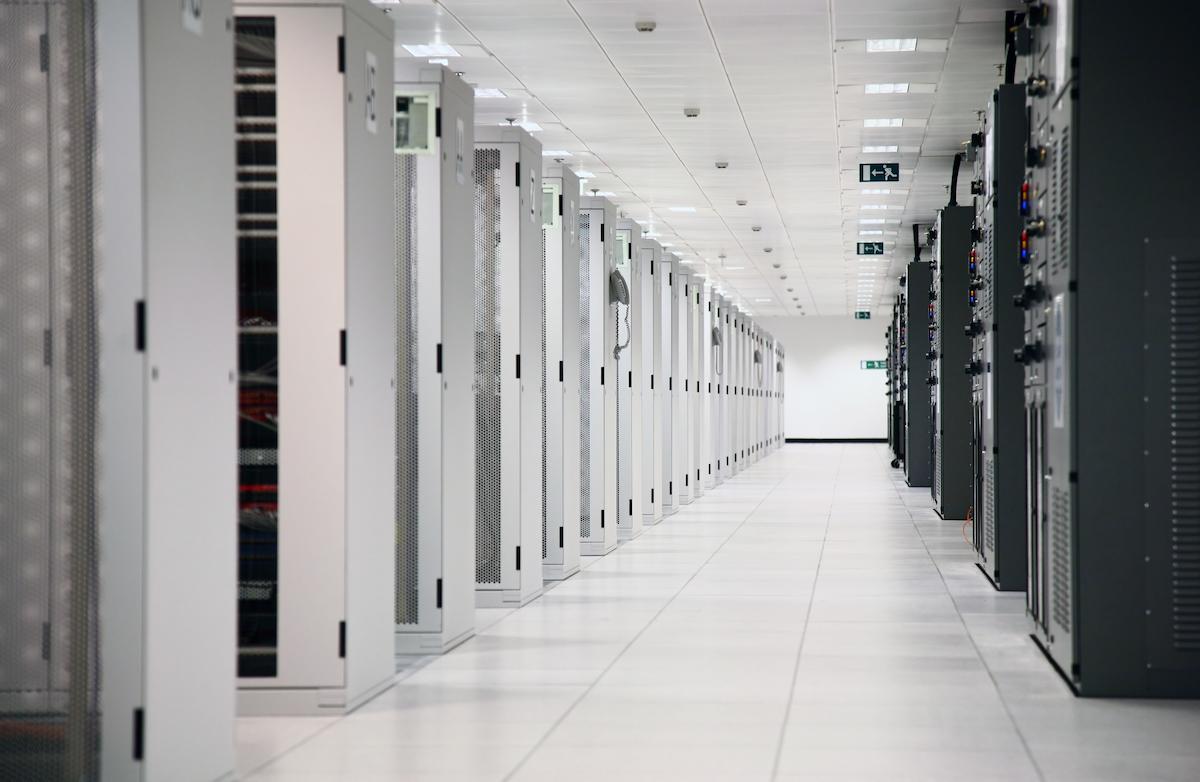
Data centers need a kind of specialized HVAC system, because servers plus networking gear are constantly doing work and they put out a lot of heat all the time. If the cooling is not proper, the temperatures can climb too high, and that can lower equipment performance, make energy use go up, and even trigger system failures or expensive downtime.
With the right HVAC setup, they keep the temperature steady, manage humidity levels too, and provide 24/7 uptime for those critical services. Also, these systems help with airflow orchestration, so hot spots do not build up, and overheating is avoided; that way, the sensitive IT infrastructure stays protected, and data center performance stays reliable.
Types of Data Center Cooling Systems
Here are some of the primary kinds of cooling systems you’ll see in data centers:
Air Based Cooling Systems
These air based setups push chilled air around to pull heat away from servers and the networking gear. Usually, you’ll find CRAC units, CRAH units, and a whole bunch of fans involved, plus airflow management tricks to keep temperature distribution more or less even across the whole room.
Liquid Cooling Systems
Liquid cooling systems use water, or other specialized cooling fluids, to soak up heat and then carry it away from high density server racks. They tend to deliver better cooling efficiency, and you’ll commonly see them in advanced or high-performance data centers where heat is really intense.
Precision Cooling Technologies
Precision cooling technologies are built for data centers that need tight temperature and humidity control. The whole point here is to keep environmental conditions steady, help with energy efficiency, and support continuous 24/7 operation of sensitive IT equipment, because small swings can matter.
Hot Aisle vs Cold Aisle Containment: How It Works
So, hot aisle and cold aisle containment systems are basically meant to make airflow work smarter inside the data hall, and manage temperature better, too:
Hot Aisle Containment
Hot aisle containment grabs the hot air coming out of server racks and keeps it isolated so it doesn’t just mix with the cooled air right away. That hot air is then sent back toward the cooling system for heat removal, which can improve efficiency and also cut down on hotspots.
Cold Aisle Containment
Cold aisle containment wraps around the cooled air that enters the front of the server racks. It helps make sure servers get a steady supply of colder air while limiting unnecessary mixing with warm exhaust, you know, the kind that causes problems later.
Improving Airflow Efficiency and Temperature Management
Using either containment approach boosts airflow handling, lowers cooling energy use, and keeps temperature stability more consistent across the data center. And, when airflow is managed correctly, it also reduces the chance of overheating, plus it supports dependable server operation over time.
CRAC Units vs CRAH Units: What’s the Difference?
|
Feature |
CRAC Units |
CRAH Units |
|---|---|---|
|
How they cool |
Use refrigerant-based direct expansion cooling |
Use chilled water from a central cooling plant |
|
Humidity control |
Built-in humidity control features |
Humidity control depends on the central system |
|
Energy use |
Higher energy consumption |
More energy-efficient in large facilities |
|
Cost |
Lower initial installation cost |
Higher setup cost due to chilled water infrastructure |
|
Best for |
Small to medium-sized data centers |
Large and high-density data centers |
Liquid Cooling vs Air Cooling: When to Use Each
|
Feature |
Liquid Cooling |
Air Cooling |
|---|---|---|
|
Initial cost |
Higher installation and infrastructure cost |
Lower setup cost |
|
Heat density handled |
Handles very high server heat loads efficiently |
Suitable for low to moderate heat densities |
|
Energy efficiency |
More energy-efficient in high-density environments |
Moderate efficiency depending on airflow management |
|
Maintenance complexity |
Requires specialized maintenance and fluid management |
Easier maintenance and simpler operation |
|
Best use cases |
High-performance computing and hyperscale data centers |
Traditional enterprise and smaller data centers |
What Is PUE? (Power Usage Effectiveness Explained Simply)
A measure of the efficiency with which a data center consumes power is the Power Usage Effectiveness (PUE). It measures the overall energy cost at the site, and the cost only for IT equipment, including server, network and other IT workhorses. The lower the PUE, the more efficient the system will be, the lower the energy waste, and the better the energy will be handled in the cooling process. Power Utilization Effectiveness (PUE) is used by data centers to track data center efficiency and fine-tune HVAC and power management systems.
Table: PUE Benchmarks for Different Data Center Types
|
Data Center Type |
Typical PUE Range |
Efficiency Level |
|---|---|---|
|
Traditional Data Center |
Around 1.8–2.5 |
Lower efficiency |
|
Enterprise Data Center |
Around 1.5–1.8 |
Moderate efficiency |
|
Hyperscale Data Center |
Around 1.1–1.4 |
High efficiency |
|
Highly Optimized Facility |
Around 1.1 or lower |
Very high efficiency |
How to Design HVAC for a Data Center: Step by Step
Designing HVAC systems for a data center kind of needs a lot more than “cool it down” thoughts; you have to plan the cooling carefully, manage the airflow in a sensible way, and run everything in an energy-efficient manner so temps stay stable and the critical IT equipment is protected. Below are the main steps that usually show up when someone is trying to design a solid data center HVAC system, with less guesswork.
Start With Understanding Cooling Load Requirements
You first figure out how much heat is produced across the site, by servers, networking gear, lighting, and any other electrical systems. This is how you determine the cooling capacity that’s actually needed, not just the rough estimate people throw around.
Then Plan Airflow Management
You design airflow paths that make sense, often using hot aisle and cold aisle containment, because it helps improve cooling efficiency and can reduce temperature swings. This is one of those parts where “placement” matters more than people expect.
Choose The Right Cooling System
Pick cooling technologies like CRAC units, CRAH units, liquid cooling, or precision cooling systems. The choice depends on things like facility size, heat density, and how you want the system to behave as the load changes over time.
Don’t Forget Redundancy And Backup Cooling
Include backup cooling systems and redundant HVAC components, so operations stay continuous if equipment fails or during maintenance. This is pretty standard, but it’s also where many designs win or lose.
Work On Improving Energy Efficiency
Use energy-efficient HVAC equipment, optimize the airflow, and use real-time monitoring. The goal is to cut power consumption while still keeping the overall data center efficiency strong and predictable.
The Role Of Heating In Data Center Fluid Cooling Loops
Heating is not always the first thing people think about, but it still helps keep the fluid temperatures stable inside the cooling loops, even if folks don’t notice it right away. This kind of approach supports more efficient heat transfer, plus it makes the whole cooling performance feel more dependable. And with decent temperature control, you avoid sudden swings which might throw off sensitive IT gear, or even the cooling infrastructure itself.
Heating also helps in preventing condensation or even freezing inside the cooling pipes and fluid systems, especially when the environment is on the colder side. When the fluid conditions remain consistent, the whole cooling system tends to be more dependable, and the data center can keep running without interruption.
Core Cooling Technologies and Components
Data centers vary greatly in terms of specialized equipment used to maintain stable environmental conditions. Technology selection is often based on facility size or server rack density since different types of cooling are better suited for each.
Computer Room Air Conditioning (CRAC)
CRAC units function similarly to conventional air conditioners, however they are designed specifically for high duty cycles. CRAC units operate using Direct Expansion (DX) refrigeration cycles; air is blown over cooling coils filled with refrigerant to cool down the air in the data center. Small to medium-sized data centers typically utilize CRAC units.
Computer Room Air Handler (CRAH)
Hyperscale Data Centers prefer CRAHs because of their ability to handle large-scale thermal loads efficiently. Instead of refrigerants, CRAH units utilize chilled water supplied from a central plant for operation purposes.
Chillers and Cooling Towers
The central plant typically houses chillers that cool the water used by the CRAH units. Cooling towers eliminate excess heat absorbed by buildings and release it to the outside. Many of today’s 2026 cooling tower designs include economizers (free cooling) which use lower temperature outside air or water to cool the building while it is permissible to operate with no energy-hungry compressors operating.
Airflow Management and Containment Strategies
Producing cold air is not enough; precision delivery of the cold air to IT infrastructure is essential. Inadequate airflow management results in cold supply and hot return air mixing which forces HVAC to work harder and wastes energy.
Hot Aisle / Cold Aisle Layout
The industry standard is to arrange server racks in rows so that the “fronts” (intakes) face each other and the “backs” (exhausts) face each other. In the data center, alternating “cold aisles” are provided for the supply of fresh (cold) air and “hot aisles” are provided for the collection of hot exhaust air.
Containment Systems
To further improve efficiency, physical barriers are used to seal the aisles.
- Cold Aisle Containment (CAC): The cold aisle will be physically contained with a ceiling and doors to ensure that all of the chilled air in the cold aisle must pass through the servers.
- Hot Aisle Containment (HAC): The hot exhaust collected in the hot aisle is captured in a physically contained area and directed back to the return vents of the AC unit. This system is also more efficient as the ambient temperature of the entire data center will be comfortable.
The Rise of Liquid Cooling for AI Workloads
In 2026, the heat density of individual server racks has climbed significantly due to the hardware requirements of Artificial Intelligence. Traditional air cooling often reaches its physical limit at around 20 kW to 30 kW per rack. To handle loads exceeding 50 kW, data centers are increasingly adopting liquid cooling.
Direct-to-Chip Cooling
Liquid cold plates come into direct contact with the CPU or GPU, using water (or another fluid) to cool the chips by evaporating heat more efficiently than air.
Immersion Cooling
Complete server blades are submerged in a chemical dielectric which absorbs heat when evaporated and then is circulated back through a heat exchanger. Using chemical gears for cooling eliminates fans and significantly reduces the noise produced or energy consumed by the fan.
Heat Reuse
As a result, data centers are now capturing high quality waste heat generated from liquid cooled systems and using it to heat other nearby buildings or to heat or wash industrial waste products that would otherwise be wasted. This creates an opportunity for companies to recover valuable resources from their data center operations that would have been previously wasted.
Humidity and Contamination Control
Maintaining the correct temperature control is only half the battle. Data center HVAC must also strictly regulate humidity and air purity.
Humidity Management
If the air is too humid, moisture can condense on circuits, causing shorts. If it is too dry, static electricity can build up, leading to electrostatic discharge (ESD) that can fry sensitive components. Most facilities maintain a relative humidity between 40% and 50%.
Air Filtration
Servers do a great job at sucking in air; they are like super powerful vacuum cleaners. HVAC systems must use high-efficiency filters (such as MERV 11 or higher) to remove dust and gaseous contaminants that could cause corrosion or “clog” the tiny heat sinks inside the servers.
Conclusion
The HVAC system of a data center is the foundation of its operational uptime. As computing power continues to scale, the focus has shifted from simple refrigeration to intelligent, high-density thermal management. With the emerging deployment of precision cooling techniques, advanced containment procedures and most recently, liquid cooled technology, data center managers can protect their expensive investment in IT systems while decreasing energy consumption. As data continues to become one of the world’s most important commodities, and the cooling that supports the flow of that data becomes increasingly critical.